
Free Property Investment Analysis Template
Stop guessing your net yield and equity position.
Download the free portfolio tracker built by a Virtual CFO to help Kiwi property investors map their next move safely.
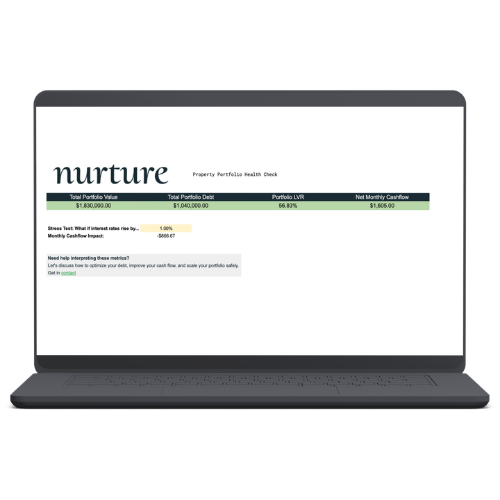
Use this tool to:
- Track True Net Yield: Calculate your return after all operating expenses and debt repayments are deducted, rather than just looking at top-line rent.
- Portfolio Health Dashboard: Get a bird’s-eye view of your Total Equity and Portfolio LVR in seconds.
- Interest Rate Stress-Test: Instantly model how a 1% or 2% rate hike will impact your monthly cashflow so you can plan ahead.
How to use it:
- Download: Click the button above to save the Google Sheet.
- Navigate to the Property Portfolio tab at the bottom of the screen.
- Enter your property details, mortgage information, and annual expenses in the first blank row (under the grey headers).
- The green columns will automatically calculate your total expenses, yields, and monthly surplus/deficit.
- To add another property to your portfolio, simply start typing in the next blank row down—the formulas are already hidden there waiting for you.
- Switch over to the Dashboard tab to view your total portfolio equity, LVR, and stress-test your cashflow against interest rate changes.
FAQs
- Q: What is a good LVR for a property portfolio? A: While NZ banks typically allow up to 60-65% LVR for investments, a resilient portfolio usually sits between 40% and 60% to safely balance growth with a strong equity buffer.
- Q: How do I calculate net rental yield in NZ? A: Subtract all annual operating expenses and mortgage payments from your yearly rent, then divide by the purchase price—or simply let our template automatically calculate it for you.
- Q: How do I stress-test my mortgage against rising interest rates? A: Multiply your total loan balance by a hypothetical rate increase to see the drop in cashflow, or just use the built-in “Stress Test” tool on our dashboard to see the exact monthly impact instantly.
Need Help?
If you need assistance setting up this template, or want a second set of eyes on what your numbers are telling you about your portfolio, feel free to reach out.